
This tutorial walks you through your first LangChain project in Python. By the end you will have a working command-line assistant that uses an LLM, remembers the conversation, and shows you exactly how the pieces fit together. The whole thing runs in under 50 lines of code and about 20 minutes.
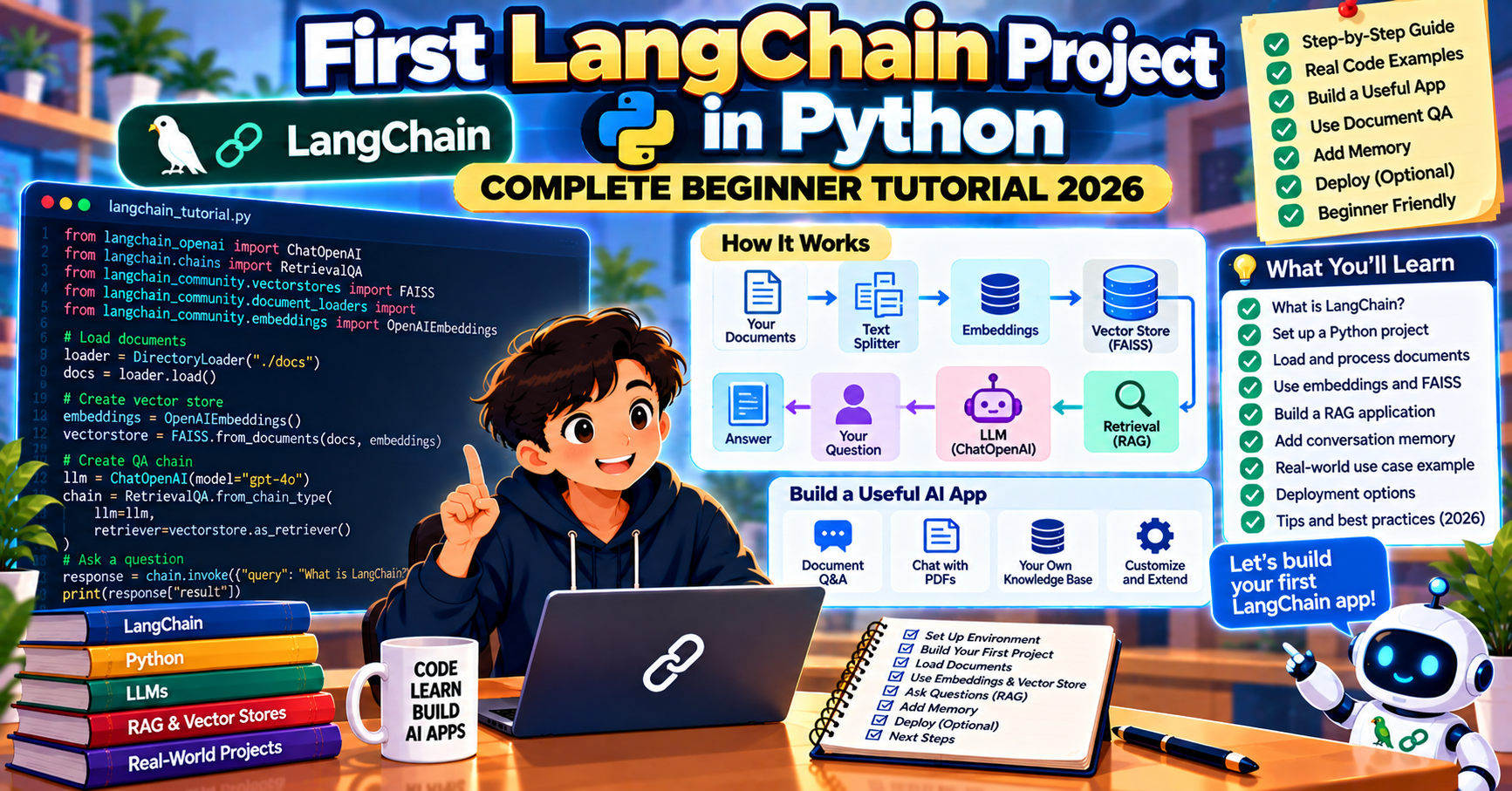
What LangChain is and why to learn it first
LangChain is a framework for building applications with large language models. In 2026 it has split into focused packages (LangChain Core, LangChain Community, langchain-openai, langchain-anthropic) and the newer LangGraph for state-machine agents. For your first project the core LangChain package plus one LLM package is all you need.
Learning LangChain first matters because its abstractions (messages, chat models, prompts, chains, memory, tools) are the shared vocabulary of the Python LLM ecosystem. Once you understand them in LangChain, picking up LlamaIndex, LangGraph, or Haystack later is incremental, not a fresh learning curve.
What you will build
A conversational assistant that:
- Reads user input from the terminal
- Sends it to GPT-4o through LangChain
- Streams the response token by token
- Keeps the full conversation history so follow-up questions make sense
- Exits cleanly when you type “quit”
Stack:
- Python 3.10 or newer
- LangChain 0.3 with langchain-openai
- OpenAI API key
Step 1: Set up the project
mkdir langchain-first && cd langchain-first
python -m venv .venv
source .venv/bin/activate  # Windows: .venv\Scripts\activate
pip install langchain langchain-openai python-dotenv
Create a .env file:
OPENAI_API_KEY=sk-...
Step 2: Hello LangChain (one LLM call)
Start with the simplest possible LangChain program. Create hello.py:
from langchain_openai import ChatOpenAI
from dotenv import load_dotenv

load_dotenv()

llm = ChatOpenAI(model="gpt-4o", temperature=0.3)
response = llm.invoke("Explain what LangChain is in two sentences.")
print(response.content)
Run python hello.py. You should see a two-sentence explanation. If this works, your API key, environment, and LangChain install are all fine.
Step 3: Add a system prompt
Real applications need to shape the model’s behavior with a system prompt. Create chat.py:
from langchain_openai import ChatOpenAI
from langchain_core.messages import SystemMessage, HumanMessage
from dotenv import load_dotenv

load_dotenv()

llm = ChatOpenAI(model="gpt-4o", temperature=0.3)
messages = [
    SystemMessage(content="You are a helpful Python tutor. Keep answers under 100 words."),
    HumanMessage(content="What is a list comprehension?"),
]
response = llm.invoke(messages)
print(response.content)
The SystemMessage sets the model’s persona and constraints. The HumanMessage carries the user’s question. Both are first-class LangChain concepts you will see throughout the framework.
Step 4: Make it a conversation (memory)
A single call is not a conversation. To make follow-up questions work, keep the message history and append to it on every turn. Create conversation.py:
from langchain_openai import ChatOpenAI
from langchain_core.messages import SystemMessage, HumanMessage, AIMessage
from dotenv import load_dotenv

load_dotenv()

llm = ChatOpenAI(model="gpt-4o", temperature=0.3)
history = [
    SystemMessage(content="You are a helpful Python tutor. Keep answers under 100 words."),
]

print("Ask me anything. Type 'quit' to exit.")
while True:
    user = input("\nYou: ").strip()
    if user.lower() in ("quit", "exit", ""):
        print("Bye!")
        break
    history.append(HumanMessage(content=user))
    response = llm.invoke(history)
    print(f"\nTutor: {response.content}")
    history.append(AIMessage(content=response.content))
Run python conversation.py and try a follow-up: “What is a list comprehension?” then “Can you give me an example that uses a conditional?” The model will understand the context because the full history is sent every turn.
Step 5: Stream the response
Showing the response all at once feels slow when it is several sentences. Streaming shows tokens as they arrive, which feels much faster even when the total time is identical. Create streaming.py:
from langchain_openai import ChatOpenAI
from langchain_core.messages import SystemMessage, HumanMessage, AIMessage
from dotenv import load_dotenv

load_dotenv()

llm = ChatOpenAI(model="gpt-4o", temperature=0.3, streaming=True)
history = [
    SystemMessage(content="You are a helpful Python tutor. Keep answers under 100 words."),
]

print("Ask me anything. Type 'quit' to exit.")
while True:
    user = input("\nYou: ").strip()
    if user.lower() in ("quit", "exit", ""):
        print("Bye!")
        break
    history.append(HumanMessage(content=user))
    print("\nTutor: ", end="", flush=True)
    full = ""
    for chunk in llm.stream(history):
        print(chunk.content, end="", flush=True)
        full += chunk.content
    print()
    history.append(AIMessage(content=full))
The llm.stream call returns an iterator of chunks. Print each as it arrives. The user experience improves noticeably even for short responses.
What you just learned
In 50 lines of code you have touched the core LangChain concepts you will use everywhere:
- Chat models (
ChatOpenAI): the LLM wrapper - Messages (
SystemMessage,HumanMessage,AIMessage): structured conversation input - Invoke vs stream: synchronous call vs token-by-token streaming
- Message history: appending turns to maintain conversation state
Where to go next
- Prompt templates: use
ChatPromptTemplateto parameterize your prompts cleanly - Chains: pipe outputs between prompt, LLM, and parser with the LCEL syntax
- Retrieval: add a vector store (FAISS, Pinecone, Qdrant) and build a Q&A over your own documents
- Tools and agents: let the model call Python functions. LangGraph is where you want to go for this.
- Tracing with LangSmith: see every call, token, and tool invocation in a dashboard
Frequently Asked Questions
Which Python version works best with LangChain in 2026?
Python 3.10 or 3.11 are the current sweet spots. 3.9 reached end of life in 2025 and some LangChain dependencies dropped support. 3.12 and 3.13 work but may hit minor compatibility issues with pinned dependencies in community packages.
Can I use Claude or Gemini instead of OpenAI with LangChain?
Yes. Install langchain-anthropic for Claude or langchain-google-genai for Gemini and swap one import. The rest of the code is unchanged. All three provider SDKs share the same message abstractions.
Does LangChain cost money?
LangChain itself is open source and free. You pay for the LLM provider you use (OpenAI, Anthropic, Google). Prototyping with GPT-4o-mini or Claude Haiku 4.5 costs well under a dollar for typical learning projects. LangSmith (the paid observability tier) is optional.
What is the difference between LangChain and LangGraph?
LangChain is the base framework for LLM applications. LangGraph is a newer sibling library specifically for building agents as state machines. For simple chat apps, LangChain alone is enough. For multi-step reasoning or tool-using agents, LangGraph is the production choice. Both are maintained by the LangChain team.
Why does my first streaming output pause before showing tokens?
That is time-to-first-token from the LLM provider. GPT-4o typically takes 400 to 800 ms before the first token streams. Once the stream starts, chunks arrive quickly. If the pause bothers you, GPT-4o-mini and Gemini 2.5 Flash have faster time-to-first-token at the cost of slightly weaker reasoning.
Can I deploy this to a web app?
Yes. Wrap the LLM call in a FastAPI or Next.js route and stream the output to the browser. Vercel’s AI SDK gives you a one-line helper to turn a LangChain stream into a Next.js data stream. For a FastAPI deployment, use the server-sent events protocol.
How do I debug when my chain produces unexpected output?
Start by printing the full message history before each LLM call so you can see exactly what the model saw. If the input looks right but the output is wrong, lower the temperature to 0 to make the output reproducible, then adjust the system prompt or add a few-shot example to shape the response. For production work, add LangSmith tracing to see every call as a span in the dashboard. Three out of four prompt-related bugs are visible immediately in a good trace.
Should I pin my LangChain version in production?
Yes. LangChain releases weekly and occasionally introduces breaking changes. Pin exact versions in your requirements.txt or pyproject.toml (langchain==0.3.14, not langchain>=0.3) so a new install cannot pull in a surprise. Review and bump versions on a scheduled cadence, not automatically.
Official documentation

Elijah Galero
Programmer & Technical Writer at PIES IT Solution
Elijah Galero is a programmer and writer at PIES IT Solution, author of 175+ tutorials at itsourcecode.com. Specializes in Python error debugging (AttributeError, TypeError, ModuleNotFoundError), Python programming tutorials, and Microsoft Excel how-to guides for BSIT students and productivity learners.
Expertise: Python, Python Errors, Python AttributeError, Python TypeError, ModuleNotFoundError, MS Excel, MS PowerPoint · View all posts by Elijah Galero →