Brings back the missing "Leave Instance Group" option to the player frame menu


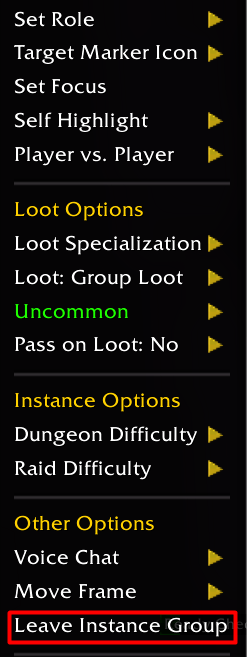 Option in the player menu |
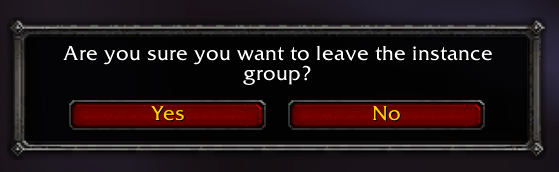 Confirmation popup |
In Mists of Pandaria Classic the Leave Instance Group option does not show up in the player frame menu. This addon makes it appear whenever you are in an instance group (for example one formed by the Dungeon Finder) and asks for confirmation before leaving.
- Shows Leave Instance Group in the right-click menu of your player frame while you are in an instance group.
- A Yes/No confirmation popup before leaving, so you don't drop out by accident.
- The popup closes with Escape.
- Translated to the main client languages.
- Download the zip from the latest release or from CurseForge.
- Extract the
LeaveInstanceGroupfolder intoWorld of Warcraft/_classic_/Interface/AddOns/. - Restart WoW and enable the addon.
- Right-click your player frame, choose Leave Instance Group under Other Options and confirm.
- There are no slash commands or settings.
Author: Pirson · GitHub · CurseForge · MIT License